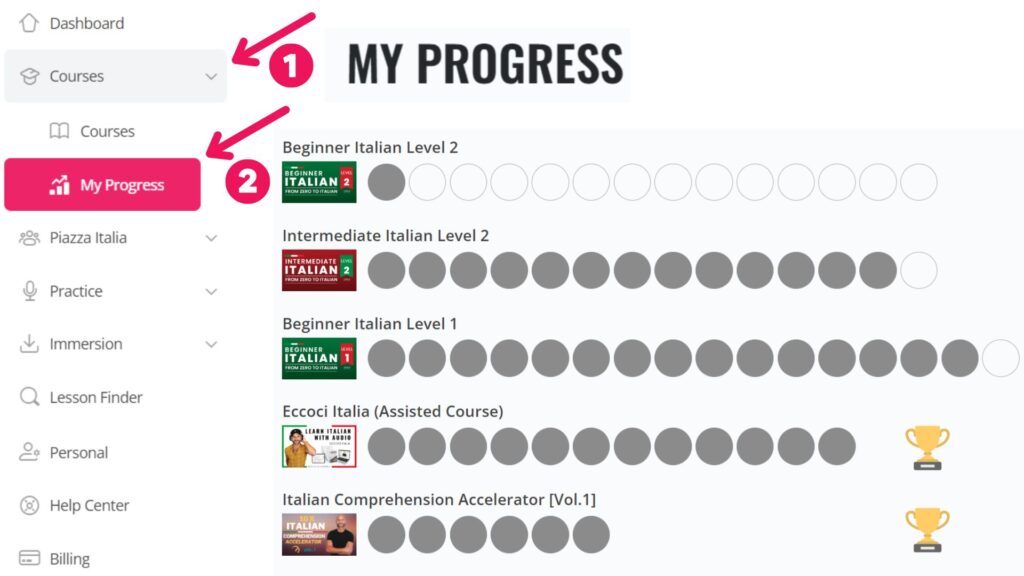

Tracking your progress is incredibly easy, since they are automatically updated!
Enjoy the quick and easy visual way of knowing how far you are with any of the courses you are taking (and will take).
All you need to do is to click on From the menu on the left, within your profile, you just need to click on:
- “Courses“
- “My Progress“.
You’ll have a visual representation of your progress with the courses you are taking.
Please, note that:
– You must complete the first Unit of a course before the course can appear on this page.
– Each circle represents a unit of the course.
– Grayed out circles indicate completed units.
– Empty circles indicate the units that are left in the course.
– Clicking on a circle will take you directly to the corresponding course unit.