

You can change your password by following a few steps, on your own.
Here’s how to do it:
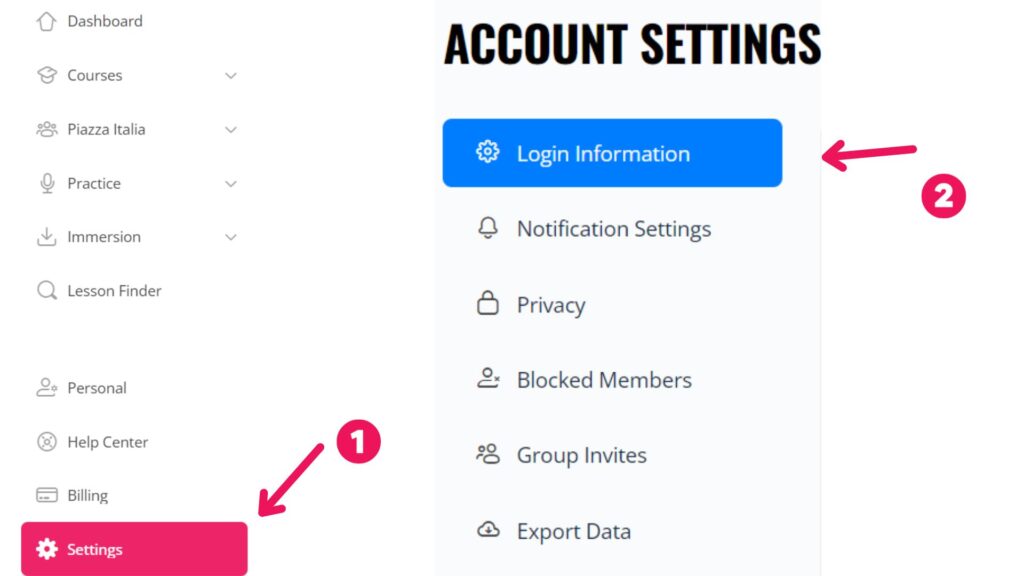
- click on “Settings“
and then on
- “Login Information“.
Please, enter:
- your current password
- your preferred new password under “Add Your New Password“
- retype it again under “Repeat Your New Password“.
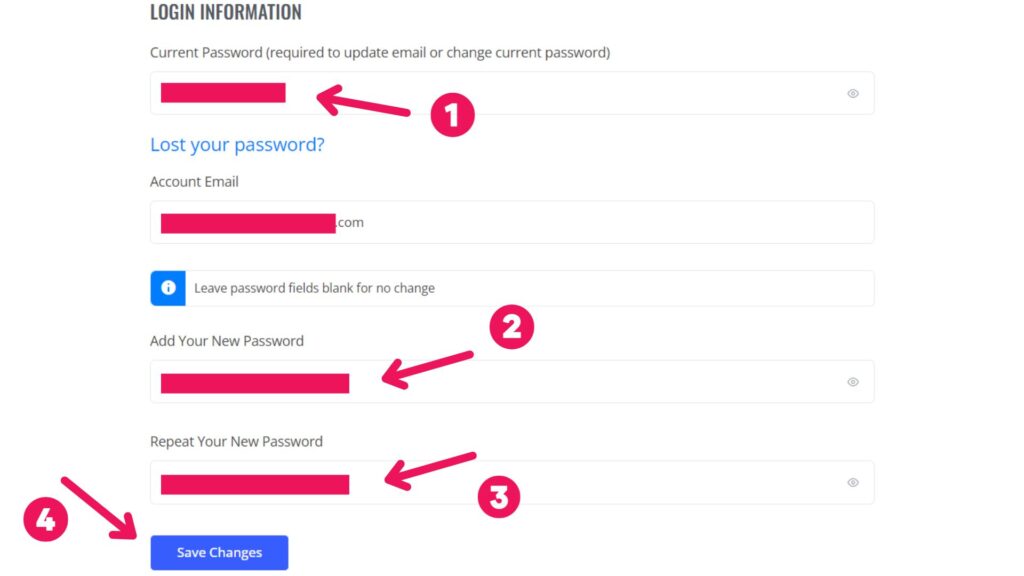
Lastly, click on “Save Changes“.
In this way, you will have successfully changed your password!